Atmosphere and skies
An area's look is its light, its fog and its sky, all set in the Sky & fog panel: a look sets the light and fog and picks the sky that suits them.
Pick a look
Area > Sky & fog (L), Looks: each sets the sun, the moon, the fog and the time of day at once, and picks its sky.
| Look | For | Sky | Without Preset skies |
|---|---|---|---|
| Clear day | open ground in daylight, day and night cycling | the game's Grass Clear | |
| Golden haze | a low sun, warm light | Golden haze | Desert Clear |
| Dawn | early light through haze | Dawn haze | Winter Clear |
| Dusk | evening light | Dusk | Grass Clear |
| Overcast | grey, even light | Overcast | Grass Storm |
| Swamp | green fog, close in | Swamp | Grass Storm |
| Thick mist | thick white fog | Thick mist | Winter Clear |
| Cave, Torchlit cave | under ground, without and with warm light | none | |
| Indoors | interiors | none | |
| Dark night | a night with little moon | Starry night | Desert Clear |
Change any colour after picking one; Light says what each setting does. View distance sets how far the fog lets the camera see.
Water, in the same panel, sets how the area's water looks in the game: Clear (the rural tiles' water, as areas had before), Murky (brown-green, the bed barely showing), Stagnant green or Dark pool, each a stock water texture with a tint. Swamp picks Murky and the other looks Clear; an area keeps its water when it is reopened, so an older one stays Clear until you change it.
The panel lies over the tools' panels. Picking a tool closes it, and L opens it again; the view keeps the light it set.
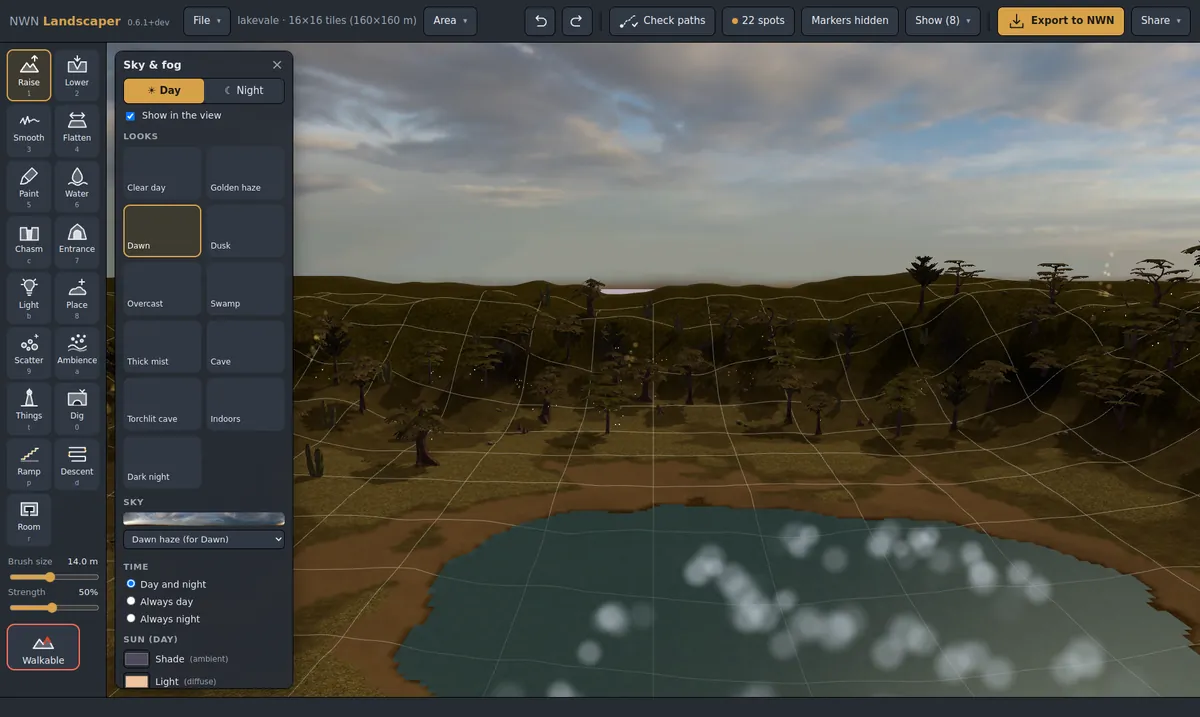
Pick a sky
Each look picks its sky: the Preset skies one made for it when that pack is installed, else the game's
nearest (the table's last column), and the panel names the pack that would give it its own. Sky, in the same panel, shows a strip
of the sky by day or by night and lists the installed Landscaper skies and the game's skies (the module's own rows of
skyboxes.2da), to pick another. With Show in the view ticked, the 3D view draws the sky behind the terrain, as the game
draws it around its camera; tilt the view towards the horizon to see it. Under ground there is no sky and no Sky row. The sample
landscapes in New area take their look's sky.
The sky is chosen here only: Area settings has no sky of its own.
More skies
- Sky packs add skies: new rows of
skyboxes.2dawith their models and textures, installed as texture packs are. The export puts them in their own hak,ls_skies.hak. Setting one up is a job for whoever runs the Landscaper: Sky packs. The first, Preset skies, has a sky for each outdoor look but Clear day, made from your own download of Real Skies. - Real Skies replaces the game's five stock skies with photographed panoramas. It is a hak for the module, made by a script from your own download: Real Skies for modules.
Grass
Grass in the Sky & fog panel turns on the game's own animated grass for the area, with its density and height (5 and 0.9 m to start; the game's rural tileset has 5 and 1.2). It grows on ground painted with a Grass texture only, so a track of earth or gravel through a meadow stays bare. Off by default. Players see it when their game's grass setting is on.
Weather
Rain, snow and wind, like the toolset's Area Properties, are in Area > Area settings, with the area's name, tag, scripts, music and ambient sound.