Publish and teams
Hand an area over to whoever runs the module: as a zip to commit yourself, or as pull requests for review on a team server. Either way it is what your last export built, so export again after any change.
The checks first
Publishing runs the checks before anything else. Errors stop it:
- an area with no name or tag, or a tag another area has;
- a transition with no destination, or a door or trigger leading to a tag that isn't a door or waypoint in the module;
- a script or conversation that isn't in the module or the game, or a script of yours that doesn't compile.
Warnings are listed and don't stop it: duplicate tags, a door that leads elsewhere, a new area nothing leads into, and the rest in The whole path.
Package for your module
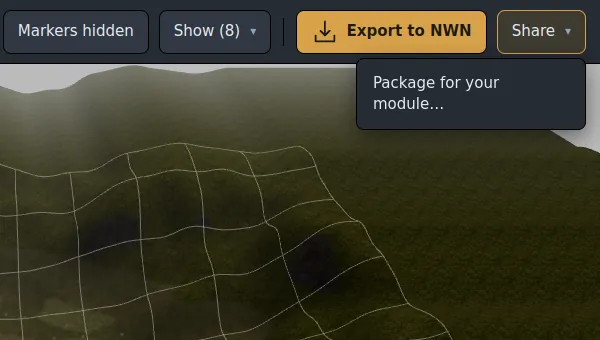
Without a review service, Share > Package for your module builds a zip in the layout of your module's source: the area and
tile files, the texture library (and the skies' hak when the area has one), your new blueprints, conversations and scripts,
module.ifo.json with the area added, and a MANIFEST.md. Unzip it into your module's repository and commit it. It needs
nwn_gff from neverwinter.nim on your PATH.
Publish to the team
On a team server with a review service, Share > Publish to the team opens pull requests with the same files.
- Write a Note for the reviewers (optional).
- Tick Publish the whole module when you changed more than one area of it (a new area and the neighbour that leads to it).
- Click Open the pull requests. A reworked area's pull request says what changed against the module's copy. The Landscaper merges nothing.
Try on dev, in the same dialog, puts what this would publish on the team's development server with no restart, to walk it in the game first. Keep it longer holds it there; Release puts the server's areas back.
Working as a team
- Each builder has a workspace on the team server; the texture library and the installed packs are the whole team's.
- File > Save version keeps a version of the area in the team's history. Autosave doesn't.
- File > Activity (admins) lists who searched, imported and exported what.
- An admin can limit who may import which of the module's areas.
Setting up the server, the sign-in proxy and the review service: The team server, The review service.