Things
Things (t) places what the game treats as objects: creatures, waypoints, triggers and transitions, sounds, encounters,
stores, items, doors and placeables. Each comes from a blueprint: the module's, the game's, or one of your own.
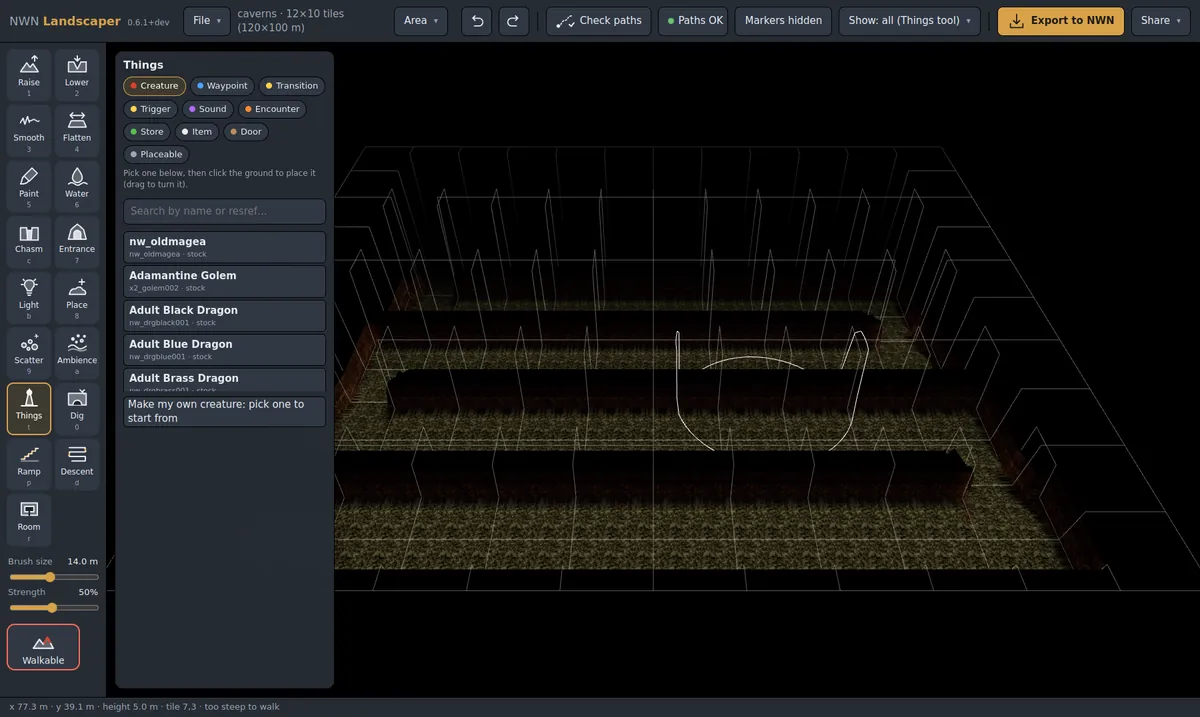
Place one
- Pick Things, then the kind (Creature, Waypoint, Door and the rest), and find a blueprint in the list by name or resref.
- Click the ground to place it. For a trigger or an encounter, click its corners and press Enter (Finish the outline).
- Open Properties to set its tag, name, scripts and local variables.
Click a marker to select it from any tool; right-click it for its menu. A selected thing takes Q and E (turn), Delete and
Esc. The Show menu says which markers show outside the Things tool. In an imported building, Show > Cut away roofs and
upper floors hides what is above a height, so you can see inside.
An imported area's own objects show greyed. Click one to move it, turn it, take it out or change its properties.
What you can set
- tag, name, scripts and local variables, on every kind;
- what a creature carries and wears, a container's contents, a store's stock, the creatures an encounter spawns;
- locks, keys and traps, hit points and sound timing;
- a trigger's or encounter's outline: drag, add and remove corners after drawing it;
- where a door or transition Leads to, including a waypoint of another area.
Your own blueprints, conversations and scripts
- Blueprints: make a creature, item, placeable, door or store as a copy of an existing one, with its own name and resref, and change it. Items get properties, with the value worked out as the game does it.
- Conversations: a tree of NPC lines and player replies, with conditions, actions and links. Open one from a creature's Conversation setting.
- Scripts: an editor that compiles with the game's own compiler as you type and underlines the error. On a team server only admins write scripts. View script opens the module's or the game's script read only, with a button to make your own copy.
They are published with the areas that use them.