Scatter and Place
Scenery from the game's models: trees, rocks, bushes, ruins. What you put down is baked into the tiles, so it casts baked shadows and costs the game no objects.
Scatter
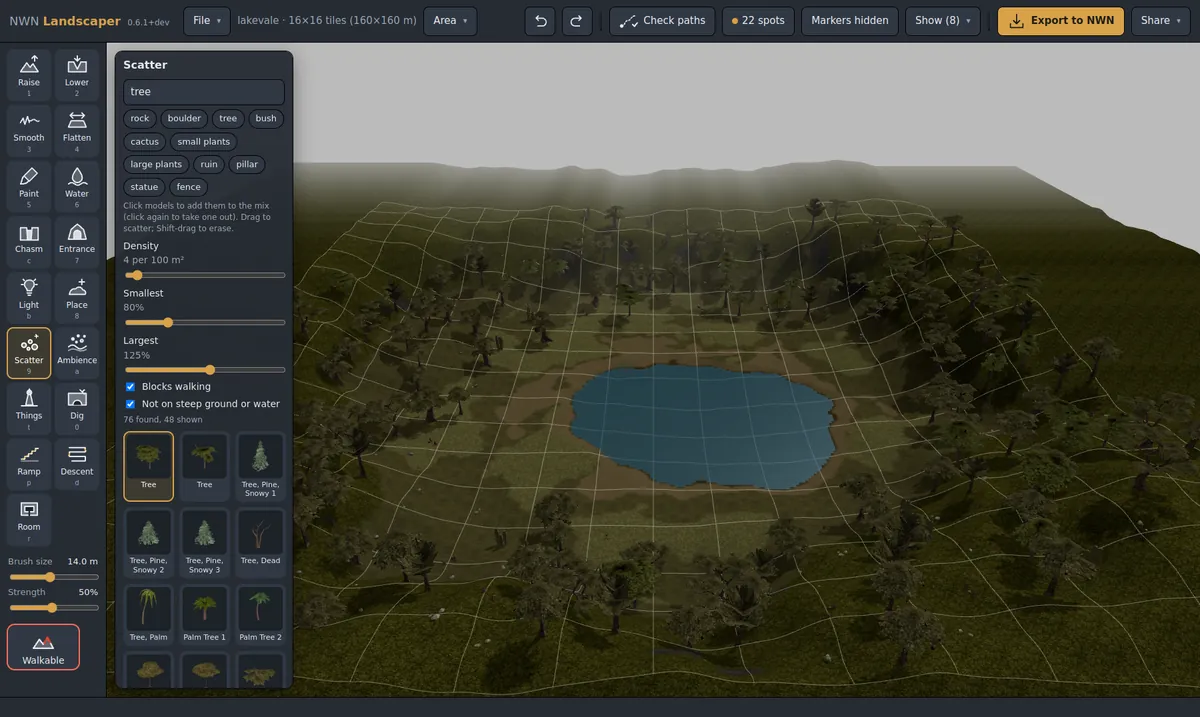
Scatter (9) paints models over the ground.
- Click models in the panel to add them to the mix; click one again to take it out.
- Set Density, and the Smallest and Largest size.
-
Drag over the ground to scatter. Shift-drag erases.
-
Blocks walking: creatures walk round what you scatter.
- Not on steep ground or water: keeps trees off cliffs and out of lakes.
Place
Place (8) puts one model down where you click; drag to turn it. Shift-click one to remove it. Size, Random turn and
Blocks walking apply to the next one, and so does the mode:
- Bake into terrain: scenery, part of the tiles, with baked shadows.
- Placeable: a real placeable from the model, to use, open or script in the toolset.
Click a placed model to select it, then:
| Key | Does |
|---|---|
G |
move (then X or Y locks an axis) |
R |
turn |
S |
size |
Q, E |
turn 15 degrees |
Delete |
remove |
Esc |
deselect, or cancel a move |
After G, R or S, move the mouse and click, or type a number for an exact value. Ctrl snaps. You can also drag the handles
on the model: the arrows move it, the ring turns it, the corner box sizes it.
Scenery or a placeable
Place puts down scenery from a model. For a placeable with settings (a chest that holds items, a lever with a script), use Things, which places one from its blueprint.